Skip to content

What Is Technology Automation and How Does It Work?

Technology automation is the use of software, machines, and connected systems to perform repeatable tasks with limited human intervention. It appears in many workplaces, from invoices processed by accounting platforms to warehouse robots moving labeled boxes. In simple terms, automation follows defined rules, reads available data, and produces an action or result.

The process usually begins with a trigger. A customer submits a form, a sensor detects a change, or a scheduled time arrives. An automation tool then evaluates the information against specific conditions. It may send an email, update a database, create a report, or alert an employee. Reliable systems also record each step, making errors easier to investigate. Human review remains important when decisions affect safety, privacy, finances, or customer experience.

The value is practical.

Technology automation can reduce repetitive work, improve consistency, and help teams respond faster. However, it is not a magic solution. Poor data can produce poor outcomes, while unclear rules may repeat mistakes at impressive speed. Implementation often requires process mapping, secure access controls, testing, and staff training. In real projects, the first workflow rarely works perfectly. Teams may discover missing exceptions, confusing permissions, or tasks that should remain manual. That is normal, but it demands careful measurement and revision. Understanding how automation works helps organizations choose suitable tools without overstating their benefits. It also encourages a balanced question: which work should technology handle, and where does human judgment matter most?
What Is Technology Automation and How Does It Work?

Defining Technology Automation and Its Core Components

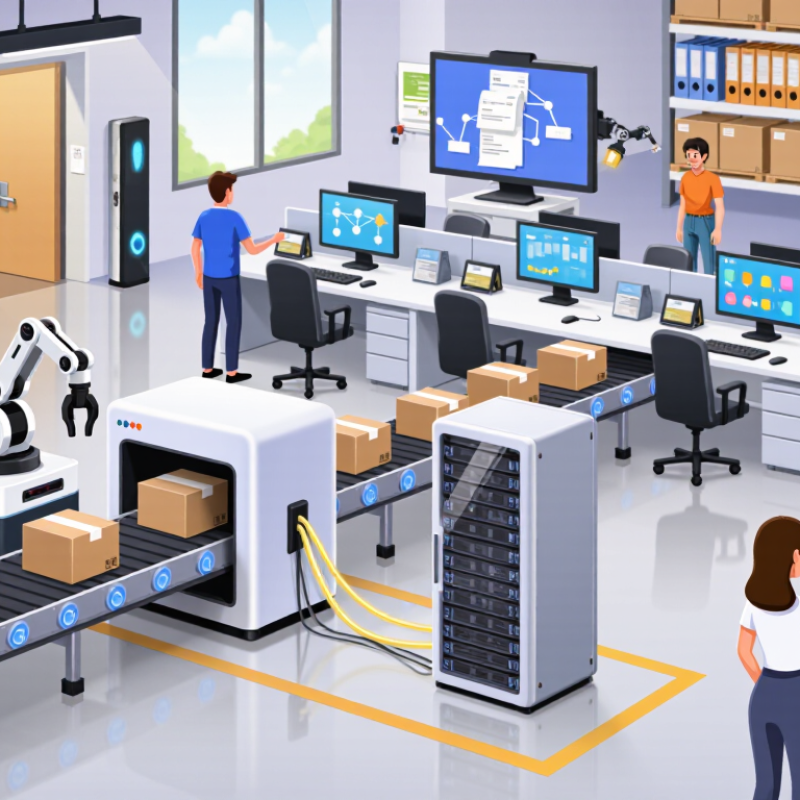
Technology automation is the use of software, devices, and defined rules to complete tasks with limited human intervention. It does not simply mean replacing people. In practice, it connects routine actions, data, and decisions into a repeatable workflow. A request form, for example, can trigger data validation, approval routing, and a notification without manual copying.

The core components begin with a trigger. This may be a scheduled time, a sensor reading, or a newly submitted record. Next comes the data layer, which collects and organizes information from approved sources. Logic then evaluates conditions, such as whether a payment exceeds a set limit. The action layer performs the response, including updating a record or sending an internal message. Monitoring tools track failures, delays, and unusual results.

Human oversight remains essential. I have seen automated workflows process thousands of records correctly, then repeat one incorrect rule thousands of times. That weakness is easy to underestimate. Reliable automation needs access controls, clear documentation, audit logs, and testing with realistic data. It also needs a safe way to pause or reverse an action. Small details matter.

Automation can reduce repetitive work and improve consistency. However, it may create confusion when responsibilities are unclear. Teams should review each decision point, measure actual outcomes, and revise rules when conditions change. A workflow that worked last year may now be quietly producing avoidable errors.

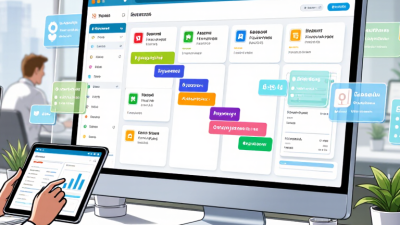
How Automated Systems Sense, Decide, and Perform Tasks

Technology automation connects sensors, software, and machines to complete tasks with limited human direction. An automated system first senses a condition, such as temperature, movement, pressure, or an incoming request. Sensors collect signals from the physical or digital environment. Software then interprets those signals using programmed rules, statistical models, or learned patterns.

The decision stage is not always as intelligent as it appears. A system compares new information with defined conditions and selects an action. For example, a warehouse system may detect a low stock level, check ordering rules, and create a replenishment request. The performing stage follows through by moving equipment, sending data, adjusting settings, or notifying a worker. In practice, reliable automation needs clear instructions, tested inputs, and regular human review. I have found that small data errors can produce surprisingly large results. Automation is not magic.

Tips: Begin with one repeatable task. Document the normal process before automating it. Set limits for unusual situations, and keep a person available for decisions involving safety, money, or sensitive information. Test the system with realistic examples, including missing data and unexpected changes. Track errors, response times, and user feedback after launch. A useful system should save effort without hiding how decisions are made. That transparency supports trust and makes correction possible.

What Is Technology Automation and How Does It Work?

Automated systems use sensors to collect information, software to make decisions, and machines or digital tools to perform tasks. The chart shows the number of industrial robots installed worldwide each year, illustrating the growth of physical automation in manufacturing.

Data source: International Federation of Robotics, World Robotics reports. Values represent estimated annual industrial robot installations worldwide, in thousands of units.

Key Technologies That Enable Modern Automation

Technology automation uses software, machines, and data to perform repeatable work with limited human intervention. A sensor may detect a temperature change, send the reading to edge software, and trigger a cooling system within seconds. Application programming interfaces connect separate systems, while robotic process automation moves data between forms, invoices, and databases. These workflows reduce manual steps, but they still require careful human design.

Several technologies enable modern automation. Machine learning detects patterns in images, equipment noise, or customer requests. Digital twins simulate a factory line before engineers change physical equipment. Cloud platforms provide scalable computing, while edge devices process urgent signals locally. Cybersecurity tools protect automated decisions from tampering. The International Federation of Robotics reported 541,302 industrial robots were installed worldwide in 2023, showing how physical automation continues to expand.

The World Economic Forum’s Future of Jobs Report 2023 found that 75% of surveyed organizations expected to adopt artificial intelligence within five years. That figure signals strong momentum, not guaranteed success. Poor data can produce confident errors. A warehouse robot may follow its route perfectly, yet miss a damaged package. In practice, reliable automation combines monitoring, fallback procedures, and skilled employees who can question unusual results. This human review is often overlooked.

What Is Technology Automation and How Does It Work? - Key Technologies That Enable Modern Automation

A practical overview of the technologies, data flows, and operating roles behind modern automation systems

Technology Primary Function Typical Inputs Typical Outputs Common Applications Main Value Key Consideration
Sensors and Actuators Detect physical conditions and create physical movement or change. Temperature, pressure, position, motion, light, force, or proximity. Measurements, motor movement, valve operation, or switching actions. Process monitoring, packaging, HVAC control, safety systems, and equipment handling. Provides the physical connection between digital logic and the real world. Accuracy, calibration, environmental conditions, and maintenance affect performance.
Programmable Logic Controllers Executes deterministic control logic for machines and industrial processes. Digital signals, analog measurements, programmed rules, and operator commands. Control signals, alarms, machine sequences, and safety responses. Assembly lines, conveyors, water treatment, energy systems, and material handling. Reliable, repeatable, and fast control with predictable timing. Program changes require testing because incorrect logic can interrupt or endanger operations.
Industrial Robots Performs programmable physical tasks with repeatable motion. Motion programs, coordinates, sensor feedback, and production instructions. Picking, placing, welding, painting, fastening, inspection, or palletizing. Manufacturing, warehousing, laboratory handling, and hazardous environments. Improves consistency and can perform repetitive or hazardous work. Safety zones, task variation, tooling, integration, and worker training must be addressed.
Industrial Internet of Things Connects equipment, sensors, software, and operational data across a system. Machine telemetry, status events, production data, and environmental readings. Dashboards, alerts, historical records, and data for optimization. Asset monitoring, predictive maintenance, energy management, and production tracking. Improves visibility and enables decisions based on near-real-time information. Connectivity, data quality, network resilience, and cybersecurity are essential.
Artificial Intelligence and Machine Learning Finds patterns in data and supports prediction, classification, or decision-making. Historical records, images, text, sensor streams, and labeled examples. Predictions, anomaly scores, classifications, recommendations, or generated content. Defect detection, demand forecasting, predictive maintenance, and process optimization. Handles complex patterns that are difficult to define with fixed rules alone. Results depend on representative data, model validation, monitoring, and human oversight.
Computer Vision Analyzes images or video to identify objects, features, and visual conditions. Camera images, video frames, lighting information, and inspection rules. Measurements, defect alerts, object locations, counts, or pass/fail decisions. Quality inspection, barcode reading, safety monitoring, and robotic guidance. Provides fast, repeatable visual inspection and measurement. Lighting, camera placement, image quality, and changing product conditions influence accuracy.
Robotic Process Automation Automates repetitive, rule-based tasks across digital applications. Structured data, forms, emails, files, and user-interface events. Data entry, record updates, reconciliations, notifications, and reports. Finance operations, human resources administration, service desks, and order processing. Reduces manual keystrokes and speeds up high-volume administrative work. Frequent interface changes and unstructured exceptions can reduce reliability.
Application Programming Interfaces Allows software systems to exchange data and trigger functions. Requests, records, authentication data, and event messages. Responses, status updates, transactions, and automated actions. Workflow integration, order processing, reporting, and connected services. Creates scalable connections without manual rekeying of information. Authentication, rate limits, version changes, and error handling require governance.
Edge and Cloud Computing Processes, stores, and scales automation data near equipment or in centralized infrastructure. Sensor streams, application data, models, files, and operational events. Local control decisions, analytics, storage, dashboards, and remote services. Real-time monitoring, distributed operations, analytics, and remote administration. Balances low-latency response at the edge with centralized scale and collaboration. Connectivity loss, data residency, latency, availability, and access control must be planned.
Digital Twins Represents a physical asset, process, or facility in a digital model. Design information, sensor data, operating conditions, and maintenance history. Simulations, condition insights, scenario comparisons, and optimization recommendations. Asset management, commissioning, maintenance planning, and process improvement. Enables testing and analysis without changing the physical system first. The model must remain synchronized with the physical asset and use trustworthy data.
How modern automation works: Sensors collect information, control or software systems interpret it, automation logic selects an action, and actuators or digital applications execute that action. Feedback data is then used to verify results, detect exceptions, and improve future decisions.

Common Applications Across Industries and Daily Life

Technology automation links sensors, software, machines, and rules to complete repeatable work with limited human direction. A camera detects a package. A control system checks its location, chooses an action, and records the result. More advanced systems learn from patterns, but they still need clean data, clear limits, and human review. This is the practical difference between assistance and unattended decision-making.

Factories use robotic arms for welding, inspection, and pallet handling. The International Federation of Robotics reported 541,302 industrial robots were installed worldwide in 2023. That figure shows scale, not guaranteed productivity. In hospitals, automation can route laboratory samples, flag abnormal readings, and schedule equipment maintenance. In farming, sensors measure soil moisture and trigger precise irrigation. Energy systems automate lighting, heating, and demand response inside buildings. The World Economic Forum’s Future of Jobs Report 2025 says 58% of employers expect robotics and automation to transform their businesses by 2030.

Daily life feels quieter. Timers, payment alerts, spam filters, and navigation tools automate small decisions. They save attention, not just minutes. Automation is not magic. A poorly calibrated sensor may waste water, misroute a delivery, or create unsafe confidence. A practical weakness is often overlooked: systems can fail silently. Trust needs an override. Users also need an audit trail and a clear failure message. These details are easy to postpone, especially when early tests look successful.

Benefits, Risks, and Future Developments of Automation

Technology automation uses software, sensors, and rules to complete repeatable tasks with limited human input. A system may read an online form, check required fields, and send approved data to another application. It follows a defined workflow. When conditions change, the result can change too.

Automation can reduce manual errors, shorten processing time, and support employees during busy periods. In a warehouse, sensors can flag low stock before shelves become empty. In an office, software can route invoices, record timestamps, and alert a reviewer about missing information. These benefits are measurable, but not universal. Poorly designed rules may repeat mistakes faster. That is expensive.

The risks deserve equal attention. Automated decisions can reflect biased training data or incomplete assumptions. Privacy may also weaken when systems collect more information than necessary. Human review remains important for medical, financial, and employment-related decisions. Clear audit logs help teams discover why an outcome occurred. Future systems will likely combine automation with stronger monitoring, explainable decision paths, and adjustable human controls. That sounds promising. Yet a practical test often reveals uncomfortable gaps: staff may not understand the workflow, emergency overrides may fail, and maintenance costs may exceed early estimates. Regular testing, limited data access, and documented responsibility can make automation safer as it develops.