Skip to content

What Is Care Automation and How Does It Work?

Care automation uses digital tools to handle repeatable tasks in health and social care. These may include booking visits, sending medication reminders, organizing care plans, or routing alerts to the right team member. The goal is not to replace compassionate care. It is to reduce avoidable administrative work and help people receive timely, coordinated support.

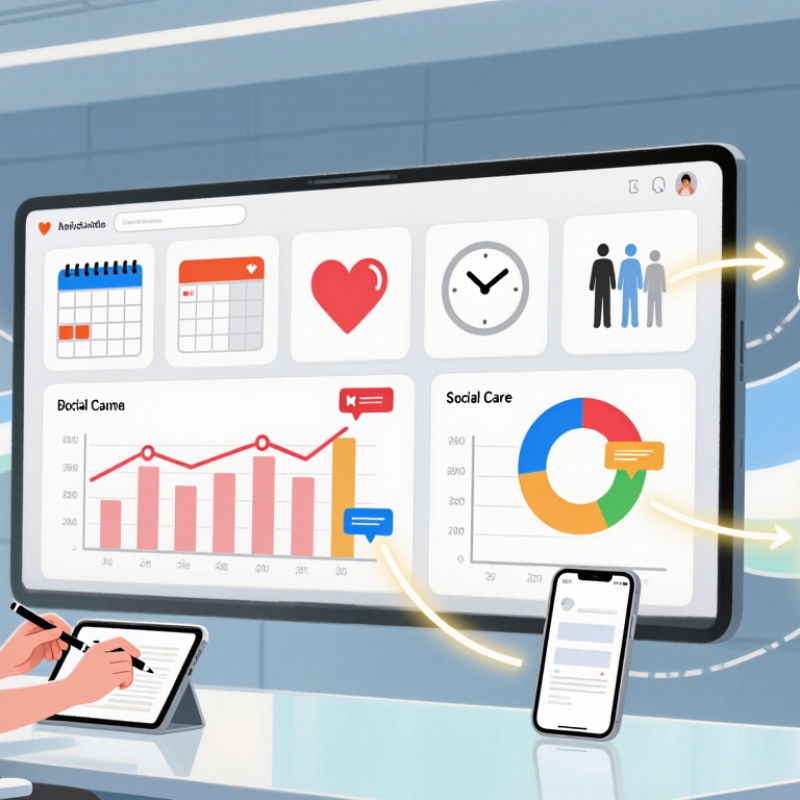
How does it work? Information enters a system through forms, scheduling software, connected devices, or staff records. Rules or software models then sort the information and trigger an action, such as a reminder, task, or notification. A care coordinator might see an alert on a dashboard and decide whether to call a client or update a plan. That matters. Reliable systems need accurate data, clear responsibilities, and ways for staff to correct mistakes. They also need careful handling of personal information and accessible options for people who cannot easily use digital tools.

The details vary by setting, and automation is not automatically beneficial. A missed alert, confusing message, or outdated record can create extra work instead of easing it. People still matter. Good implementation starts with a real care need, tests the workflow with users, and keeps human review where judgment or reassurance is important. Understanding these basics makes it easier to assess what care automation can do, where it may fall short, and what questions to ask before adopting it.
What Is Care Automation and How Does It Work?

What Care Automation Means

Care automation means using software and connected devices to handle repeatable care tasks, while people remain responsible for judgment and relationships. It may route appointment requests, flag missed check-ins, organize records, or send medication reminders. In a clinic, for example, a system can sort incoming messages by urgency; a nurse still decides what needs clinical attention. That distinction matters.

The World Health Organization’s State of the World’s Nursing 2020 report projected a global shortfall of 5.9 million nurses by 2030. Workforce pressure helps explain interest in automation, but it does not prove that every automated task saves staff time. Poorly designed alerts can add clicks, and incomplete records can send work back to clinicians. Small failures matter. A 2023 OECD report, Health at a Glance, describes persistent health-worker shortages across member countries, reinforcing the need to assess tools against real staffing conditions. Useful care automation should reduce duplication, make handoffs visible, and allow staff to correct errors easily. Yet the measure of success should not be speed alone. Did the patient get a clearer answer? Did the caregiver regain time for a difficult conversation? Those outcomes need to be checked, not assumed.

The Core Components of Care Automation

What Is Care Automation and How Does It Work?

The Core Components of Care Automation

Care automation connects routine care tasks so information can move to the right person at the right time. It often begins with data from forms, appointment systems, or home devices. A missed check-in, for example, may trigger a reminder or a staff review. Clear inputs matter. Incomplete records can send a workflow in the wrong direction.

The next component is a set of rules and workflows. These define what happens when a specific event occurs: a referral arrives, a visit is due, or a patient reports a concern. Integrations link the tools that hold this information, reducing repeated data entry. But a connection is not the same as understanding. Staff need to know where updates came from and whether they are current.

Human oversight remains essential. Automation can sort routine requests, flag missing details, and route tasks, while care professionals assess context and decide what action is appropriate. People still decide. Monitoring helps teams spot delays, confusing alerts, and uneven results. A dashboard might show that a reminder went out, but not whether it was useful. That gap deserves attention. Workflows should be reviewed with staff and adjusted when real cases expose weak assumptions; even a carefully designed process can miss what matters to one person.

How a Care Automation Workflow Operates

Care automation turns a care plan into coordinated, trackable actions. A workflow may begin when a clinician records a patient’s needs, such as medication support, a follow-up call, or help arranging transport. The system checks that information against agreed rules, then creates tasks for the right staff member. A missed check-in can trigger a reminder or an escalation for human review. Small details matter: a task should show who owns it, when it is due, and what to do if the patient does not respond.

The 2023 CAQH Index estimated that fully electronic healthcare administrative transactions could create $25.4 billion in annual savings across the United States. That figure concerns administration, not care quality, but it shows the scale of work that structured workflows can reduce. In practice, teams still need to check whether automated prompts are timely and appropriate. A stale care plan can make a workflow efficient in the wrong direction. Human judgment stays essential, especially when a patient’s condition changes or information is incomplete. Automation can miss context. Staff should be able to pause a task, correct the record, and document why.

Technologies That Enable Care Automation

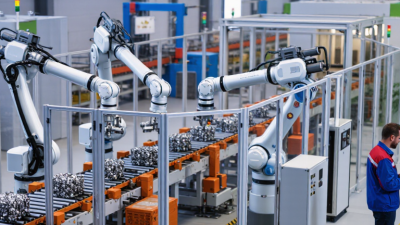
Care automation uses digital tools to reduce repetitive work and support timely care. It can connect bedside sensors, electronic health records, scheduling systems, and robotic process automation. A sensor may flag a rising temperature; workflow software can route a follow-up task to the right team. Artificial intelligence can help sort images or summarize notes, but clinicians should verify its output, especially when information is incomplete.

A 2017 McKinsey Global Institute analysis estimated that 36% of healthcare work hours involved activities technically automatable with then-demonstrated technologies. That estimate describes potential, not guaranteed savings or a forecast of job losses. In practice, useful automation depends on clean data, compatible systems, and clear escalation paths. One awkward truth: automation can make a flawed process faster. It can also miss context, such as a patient’s sudden change in condition.

Tips: Start with one repeated task, such as appointment reminders or intake forms. Measure errors and staff time before and after rollout. Keep a human review step for clinical decisions, and ask frontline staff where the process still feels clumsy.

Applications and Safeguards in Automated Care

Care automation uses software and connected devices to handle routine tasks while caregivers remain responsible for judgment and support. In a home, a motion sensor might flag an unusual period of inactivity; a medication reminder can prompt someone to take a dose. In clinics, automated scheduling and visit notes can reduce administrative work. WHO projects a shortage of 10 million health workers by 2030, making practical support valuable—but automation cannot replace human care.

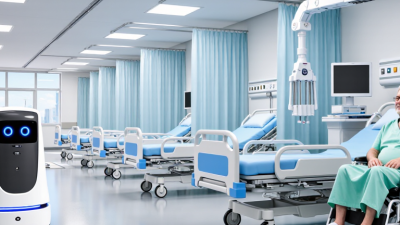
Safeguards matter as much as applications. WHO’s 2023 patient-safety fact sheet reports that up to four in ten patients experience harm in primary and outpatient care, and up to 80% of that harm may be preventable. Automated systems should therefore be tested in real care settings, checked for errors and unequal performance, and paired with a clear route to human review. Not every alert is useful. Too many can cause staff to miss the important one. People should know what information a device collects, who can access it, and how to get help if it fails. A sensor can misread a quiet afternoon. Care teams need a manual fallback, accessible instructions, and regular checks that the system still fits each person’s needs.

What Is Care Automation and How Does It Work? - Applications and Safeguards in Automated Care

Care automation uses technology to support or carry out selected care tasks. It can collect information, follow predefined rules, and alert people when attention may be needed; it does not replace professional judgment or human connection.

Care application How automation works Potential benefit Human role Key safeguards
Medication support Reminders or programmed dispensers provide prompts at scheduled times and may record whether a dose was accessed. Can help people follow a medication routine and make missed prompts easier to notice. A person or clinician confirms the medication plan, responds to alerts, and handles changes or exceptions. Check the prescription and device setup; provide a clear way to get help; do not treat a reminder or access log as proof that medication was taken.
Remote health monitoring Connected devices can transmit readings such as blood pressure, pulse, or glucose for review against care-plan thresholds. May make it easier to review trends and identify readings that need follow-up. Qualified staff interpret readings in context and decide whether assessment or care-plan changes are appropriate. Use validated devices where appropriate; explain response times and escalation routes; protect health data and account for inaccurate or missing readings.
Fall and activity alerts Wearable or environmental sensors detect patterns associated with a fall or a change in movement and send an alert for review. Can support faster checks when an alert is generated, especially when a person cannot call for help. A responder checks the person and determines what action is needed; sensors do not provide a diagnosis. Test coverage and alert routing; plan for false alarms, missed events, battery failure, and consent or privacy concerns.
Care scheduling and reminders Scheduling systems organize visits, tasks, and reminders, and can notify relevant people about changes. Can reduce coordination work and make planned care tasks easier to track. Care teams review schedules, resolve conflicts, and adjust plans to a person’s preferences and changing needs. Keep records current; restrict access by role; provide a process for urgent changes and people who cannot use digital reminders.
Routine documentation Software can populate fields, organize observations, or draft notes from information entered by care staff. May reduce repetitive data entry and make records easier to organize. Staff verify the record for accuracy and completeness before relying on or sharing it. Label automated content where needed; correct errors promptly; maintain access controls and an audit trail.
Assistive mobility and daily living Powered mobility aids and task-support devices respond to user controls or programmed settings to assist with movement or routine activities. May support independence with specific tasks when matched to a person’s abilities and environment. A person and care team assess suitability, provide training, and reassess as needs change. Follow safe-use instructions; check fit, maintenance, and surroundings; ensure the user can stop or summon assistance.

Safeguard across applications: Choose tools with the person’s informed involvement, collect only necessary data, provide accessible alternatives, define who responds to alerts, and regularly review safety, accuracy, and effectiveness.