Skip to content

What Is Technology Automation and How Does It Work?

Technology automation is changing how organizations move information, make decisions, and complete repetitive work. It combines software, sensors, artificial intelligence, and connected systems. These tools can follow rules, recognize patterns, and trigger actions without constant human input.

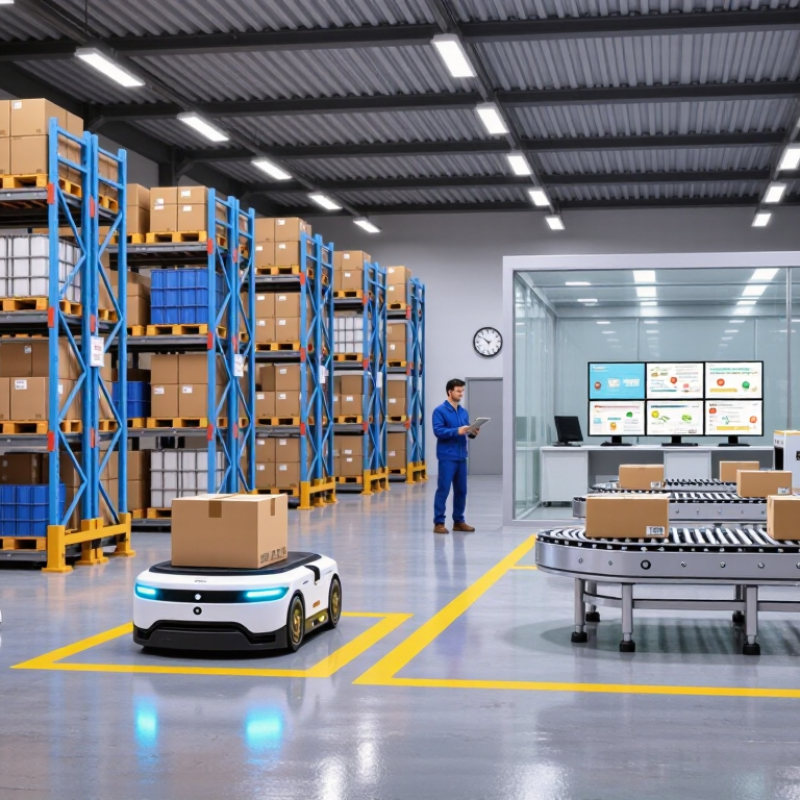
A warehouse offers a clear example. A barcode scanner records an incoming package. The platform updates inventory, selects a storage location, and sends instructions to a robotic vehicle. In an office, automation can sort invoices, check data fields, and alert employees about unusual charges. The process looks simple from the outside. Behind it, integrations, permissions, testing, and reliable data keep each step connected.

Erik Brynjolfsson, an MIT economist and leading automation researcher, wrote, “The key to winning the race against the machine is not to compete against machines but to compete with machines.” His observation captures the practical purpose of technology automation. It should extend human judgment, not blindly remove it.

Good systems still need oversight. Clear logs help teams trace a failed action. Human review remains valuable when data is incomplete or circumstances change. That matters.

Technology automation can reduce delays, improve consistency, and free people for work requiring empathy or creative thinking. Yet implementation is rarely perfect. Poorly designed rules may repeat mistakes at digital speed. A rushed deployment can also frustrate employees and customers.

This guide explains how technology automation works, where it creates measurable value, and why careful governance matters. The goal is not to promise effortless transformation. It is to examine what works, what fails, and what responsible teams can improve.
What Is Technology Automation and How Does It Work?

Definition and Core Principles of Technology Automation

Technology automation is the use of software, rules, and connected systems to perform repeatable tasks with limited human effort. It converts a defined process into a sequence of actions, such as collecting data, checking conditions, and sending a response. The goal is not to remove people entirely. It is to reduce manual repetition and improve consistency. A practical example is an office system that receives a form, checks required fields, and routes it to the correct team. Data arrives. Actions follow.

Core principles make automation dependable. The first is clarity: every process needs a specific trigger, input, decision, and outcome. The second is consistency, because identical conditions should produce predictable results. Good automation also includes error handling, access controls, and activity logs. Logs matter. They show what happened and when. A failed test can reveal a hidden assumption before real users encounter it. However, rigid rules may misread unusual cases, especially when information is incomplete or ambiguous.

In professional deployments, teams usually test automation with small data samples before expanding its scope. They compare automated results with human decisions and investigate meaningful differences. Human review remains important for sensitive or uncertain tasks. Security practices should limit permissions and protect stored information. Maintenance is another core principle; processes change when policies, forms, or business needs change. Automation is not permanent. A workflow that works today may create errors later if nobody reviews its conditions, measures its accuracy, or questions its original design.

Key Components That Make Automation Systems Work

Technology automation links machines, software, and people to complete repeatable work with limited manual effort. Its core begins with inputs. Sensors, forms, databases, and connected devices capture events such as temperature changes, payments, or stock levels. Reliable data matters because flawed input creates flawed decisions. The World Economic Forum’s Future of Jobs Report 2025 found that 73% of surveyed employers plan to accelerate process and task automation.

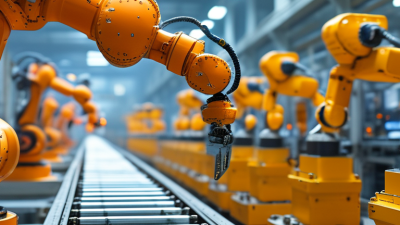
The next layer interprets information. Rules engines handle clear conditions, while machine learning detects patterns in less predictable data. An orchestration system then assigns actions, sets timing, and moves information between applications through APIs. Industrial robots provide a visible example. The International Federation of Robotics reported 541,302 industrial robot installations worldwide in 2023. Yet hardware alone is not automation. It needs commands, safety controls, and a defined operating boundary.

Human oversight remains a key component. Dashboards should show failed tasks, unusual inputs, delays, and access attempts. Audit logs make each decision traceable. Security controls protect credentials and restrict sensitive actions. NIST guidance also emphasizes monitoring and risk management across an AI system’s lifecycle. Automation can still behave badly. A missing field may trigger the wrong shipment, while a biased dataset can repeat unfair decisions quickly. Small pilots, measurable error rates, and manual review points expose these weaknesses before they spread.

How Technology Automation Operates Step by Step

What Is Technology Automation and How Does It Work?

How Technology Automation Operates Step by Step

Technology automation connects a trigger, a decision, and an action. The trigger may be a new form, a sensor reading, or a scheduled time. A secure system receives that event and checks whether the information is complete. Missing data should stop the process, not quietly create errors.

Next, predefined rules examine the event. For example, an order above a chosen value may require human approval. Smaller orders can move forward automatically. The system then sends instructions to another tool, updates a record, or creates a notification. Each action should leave a time-stamped log. This makes the process easier to inspect and correct.

Then the workflow checks its own result. Did the record update? Did the message reach the right person? If the answer is no, the system can retry or route the issue to a staff member. In practical testing, simple exceptions often cause the most trouble. A blank field, a delayed response, or an unusual request can break an otherwise smooth workflow. I have found that automation works best when teams test normal and imperfect cases together. Rules also need regular review because business needs change. Human oversight remains important, especially when an automated decision affects money, safety, access, or personal information.

What Is Technology Automation and How Does It Work?

Technology automation uses software, sensors, data, and predefined rules to detect conditions, make decisions, and execute repeatable tasks with limited human intervention.

The chart shows the estimated share of work activities with technical automation potential in selected U.S. sectors. Automation potential is highest where tasks are predictable, structured, and data-driven. Source: McKinsey Global Institute, “A Future That Works: Automation, Employment, and Productivity,” 2017.

Common Applications Across Industries and Daily Life

What Is Technology Automation and How Does It Work?

Technology automation uses software, sensors, machines, and rules to complete tasks with limited human input. A system receives data, follows programmed logic, and produces an action. For example, a warehouse scanner can identify a package, update inventory, and direct it toward delivery. The International Federation of Robotics reported 541,302 industrial robots were installed worldwide in 2023. More than 4.28 million industrial robots were operating globally. These figures show how automation now supports physical work, not only office processes.

Its applications vary across industries. Hospitals use automated scheduling, medication alerts, and equipment monitoring. Banks apply software to detect unusual transactions and process routine applications. Farms combine soil sensors with automated irrigation systems. In transport, sensors can monitor vehicle conditions and improve route planning.

McKinsey Global Institute estimated that activities representing 60% to 70% of employees’ working time could be affected by generative automation. That does not mean every job disappears. Human judgment still matters when conditions change.

Daily life offers quieter examples. Smart thermostats adjust room temperatures, while robotic appliances handle repetitive cleaning. Online forms can prefill information, saving several minutes at a time. Small gains accumulate.

Yet automation is not always elegant. A faulty sensor may waste water or create a confusing alert. Poorly designed workflows can move mistakes faster. People should review important decisions, test systems in real settings, and keep a manual option available. Automation works best as assistance, not unquestioned authority.

Benefits, Limitations, and Future Developments of Automation

What Is Technology Automation and How Does It Work?

Technology automation uses software, sensors, and machines to complete repeatable tasks with limited human input. A system can read an invoice, compare its fields, and route exceptions to an employee. In a warehouse, sensors can detect a missing item before shipment. The process usually follows four steps: capture data, apply rules, perform an action, and record the result. It sounds simple. Real workplaces are messier.

Automation can reduce processing time, lower manual errors, and improve consistency. The World Robotics 2024 report recorded more than 541,000 industrial robot installations worldwide in 2023. That figure shows strong investment, but it does not prove every deployment creates value. A poorly designed workflow can move mistakes faster. According to the Future of Jobs Report 2023, 44% of workers’ core skills may be disrupted by 2027. Training and thoughtful job redesign therefore matter as much as new software. Employees should review unusual cases, not merely approve silent machine decisions.

Limitations remain visible in incomplete data, unclear ownership, and cybersecurity exposure. Automation also struggles with empathy, judgment, and changing customer needs. A pilot may perform well in a clean spreadsheet, then fail during a busy afternoon. Future systems will likely combine artificial intelligence, real-time sensors, and process monitoring. Better audit trails should show why each decision occurred. Human oversight must remain practical, not symbolic. Companies may need to measure energy use, error recovery, and employee workload alongside financial savings. That broader measurement is still developing.

What Is Technology Automation and How Does It Work? — Benefits, Limitations, and Future Developments of Automation

Summary of major automation technologies, measurable characteristics, benefits, limitations, and expected development directions.
Automation Area How It Works Typical Data or Operating Characteristic Main Benefits Key Limitations Likely Development Direction
Rule-Based Automation Executes predefined instructions such as “if–then” rules, schedules, formulas, and programmed sequences. Highly predictable inputs can produce consistent and repeatable outputs with minimal human intervention. Fast execution, consistent decisions, easy auditing, and low operating cost for stable processes. Performs poorly when inputs are incomplete, ambiguous, or outside the programmed conditions. Combination with natural-language interfaces and event-driven systems that can adjust rules more efficiently.
Workflow and Robotic Process Automation Software agents move information between applications, validate fields, generate documents, and trigger approval steps. Best suited to repetitive, rule-driven, high-volume tasks involving structured digital data. Reduces manual data entry, shortens processing time, and creates a digital activity trail. Legacy interfaces, changing screen layouts, poor data quality, and exceptions can interrupt workflows. More intelligent exception handling, process discovery, and integration through application programming interfaces.
Machine Learning Automation Uses historical data to identify patterns, classify information, predict outcomes, or recommend actions. Performance depends on training-data quality, relevance, representativeness, and ongoing monitoring. Handles complex patterns that are difficult to describe with fixed rules and supports faster analysis. Models can produce errors, inherit bias from data, drift over time, or be difficult to explain. More explainable models, continuous monitoring, privacy-preserving training, and human review for high-risk decisions.
Industrial and Physical Automation Sensors measure physical conditions, controllers process signals, and machines perform programmed movements or adjustments. Closed-loop systems continuously compare measured conditions with target values and correct deviations. Improves precision, safety, throughput, and repeatability in controlled environments. Requires capital investment, maintenance, safety controls, skilled technicians, and suitable physical layouts. Greater use of collaborative machines, digital twins, predictive maintenance, and energy-aware control systems.
Intelligent Document and Language Automation Combines optical character recognition, language processing, classification, extraction, and validation. Can process unstructured text, but accuracy varies with document quality, language, context, and terminology. Accelerates document review, search, summarization, routing, and structured data creation. May misinterpret context, generate inaccurate content, or expose confidential information without proper controls. Grounded generation, stronger permission controls, traceable outputs, and confidence-based human escalation.
Autonomous and Adaptive Systems Perceives the environment, evaluates possible actions, and updates behavior using sensors, models, and feedback. Requires real-time sensing, decision logic, safety boundaries, fallback states, and performance testing under uncertainty. Supports operation in variable environments and can reduce response time in time-sensitive tasks. Unexpected conditions, cybersecurity threats, unclear responsibility, and difficult validation can create safety risks. More reliable edge processing, formal safety verification, simulation-based testing, and supervised autonomy.
Productivity Benefit Automation transfers repetitive execution from people to software, machines, or integrated control systems. Digital systems can operate continuously, while physical systems operate within defined duty cycles and maintenance schedules. More consistent throughput and more time for problem-solving, supervision, design, and customer-facing work. Productivity gains are limited when the underlying process is poorly designed or requires frequent exceptions. Process redesign before automation, supported by measurable service-level and quality indicators.
Quality and Safety Benefit Uses standard procedures, sensors, validation rules, and alerts to reduce variation and detect abnormal conditions. Effectiveness is measurable through error rates, defect rates, incident rates, rework, and compliance records. Improves repeatability and can remove people from hazardous, physically demanding, or highly repetitive activities. A faulty sensor, incorrect rule, or poorly configured model can propagate errors at high speed. Independent validation, fail-safe design, continuous monitoring, and clearly defined human override procedures.
Cost and Implementation Limitation Implementation includes technology, integration, data preparation, training, cybersecurity, maintenance, and change management. Total cost of ownership is broader than the initial purchase or development cost. Well-selected use cases can reduce recurring manual effort and improve capacity without proportional headcount growth. High upfront costs, integration complexity, and workforce transition can delay or reduce return on investment. Modular deployment, open interfaces, reusable components, and staged measurement of business value.
Governance and Workforce Impact Automation changes task allocation, decision rights, required skills, and accountability between people and systems. Routine tasks are generally more automatable than tasks requiring empathy, negotiation, complex judgment, or physical adaptability. Creates demand for system supervision, data analysis, maintenance, process design, and cybersecurity skills. Can displace specific tasks, increase monitoring requirements, create bias risks, and make accountability unclear. Human-centered design, reskilling, impact assessments, transparent decision records, and risk-based oversight.
Future Development Outlook Automation is moving from isolated task execution toward connected, adaptive, and human-supervised process orchestration. Future systems are expected to combine sensors, analytics, language interfaces, robotics, cloud services, and edge computing. Broader process coverage, faster decisions, improved resource efficiency, and more personalized services. Reliability, privacy, cybersecurity, energy use, regulation, workforce disruption, and unequal access remain significant concerns. Responsible, interoperable, explainable, energy-efficient, and human-controllable automation ecosystems.
Key evaluation indicators: processing time, error rate, defect rate, exception rate, operating cost, energy consumption, safety incidents, user satisfaction, auditability, and return on investment.