Skip to content

What Is Laser Automation and How Does It Work?

Laser automation uses a controlled laser, software, and motion equipment to perform repeatable manufacturing tasks. A programmed beam can cut sheet metal, mark a serial number, weld a seam, or clean a surface with managed energy. In a typical cell, sensors and machine controls coordinate the laser source, focusing optics, workpiece, and safety enclosure. A controller translates digital designs into movements and operating instructions. The operator sets job parameters, loads material, and checks the result. Then the system follows its programmed path.

The details matter. Beam power, speed, focus, material thickness, and assist gas can all change the finished edge or mark. For example, a laser cutter may produce a smooth contour on thin stainless steel, yet leave heat discoloration if its settings are poorly matched. Cameras and sensors can help detect positioning errors, while extraction systems remove smoke and particles from the work area. Proper guarding, training, and maintenance remain essential. Automation does not remove the need for skilled oversight.

That distinction is easy to miss. Laser automation can improve consistency, throughput, and traceability, but it is not a magic upgrade for every workshop. Equipment costs, part variation, programming time, and maintenance needs should be assessed before choosing a system. Even a well-designed setup may need adjustment when materials or production demands change. Results depend on the application and careful testing. This guide explains how laser automation works, which components shape its performance, and where its practical limits deserve attention.
What Is Laser Automation and How Does It Work?

Defining Laser Automation and Its Role in Manufacturing

What Is Laser Automation and How Does It Work?

Defining Laser Automation and Its Role in Manufacturing

Laser automation connects a laser process to programmed equipment that controls movement, timing, and workpiece handling. The laser supplies focused energy; motion systems guide it across a part. Together, they can cut, weld, mark, or clean materials with repeatable paths.

A typical setup includes a laser source, optics, a motion platform, sensors, and control software. An operator loads a part or feeds it into a cell. The system positions it, follows a programmed route, and adjusts process settings within defined limits. Sensors may check alignment or detect a misplaced component.

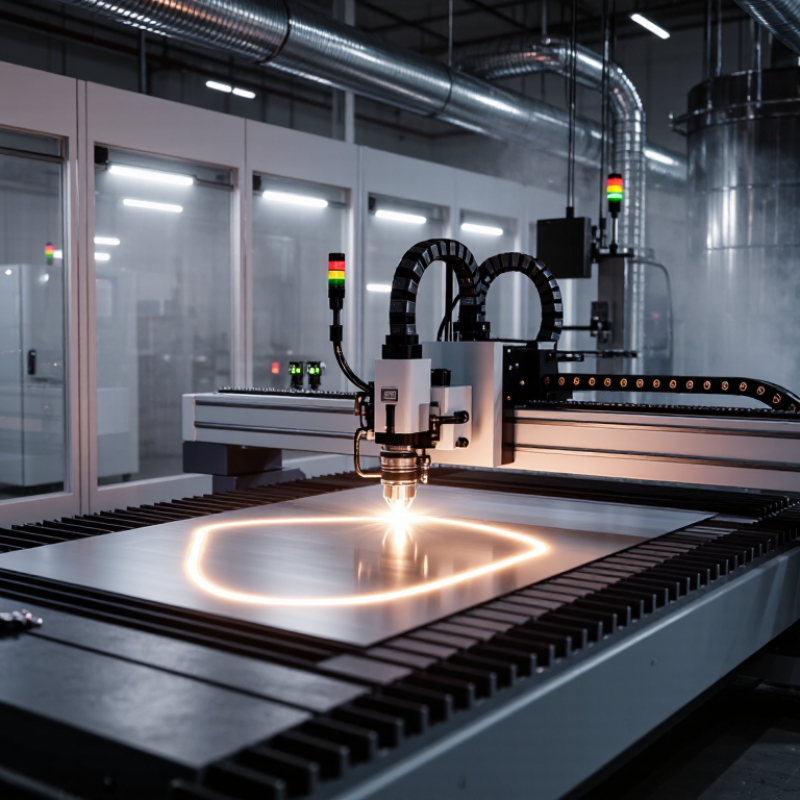
On a sheet-metal line, for example, a moving head can follow nested cutting paths while the table holds the sheet steady. That matters.

In manufacturing, automation helps maintain consistent features across repeated parts and can reduce manual handling. It is useful where small variations in speed, focus, or position affect the result.

Still, automation does not guarantee quality. Material coatings, dirty optics, worn fixtures, and poor parameter choices can all cause defects. Operators need to inspect samples, maintain equipment, and revise programs when materials or part designs change. Even a well-tuned cell may need adjustment after a batch behaves differently than expected.
Key Components: Laser Source, Motion System, Sensors, and Controller

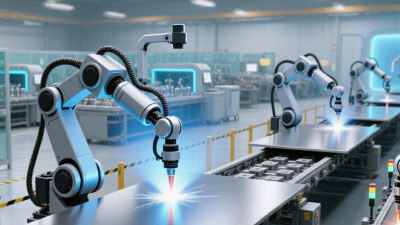
Laser automation combines a controlled light source with precise movement and feedback. The laser source creates the beam used for cutting, marking, or welding. Its wavelength and power must suit the material. A motion system then guides the beam or workpiece along a programmed path. Even a small positioning error can leave a rough edge or uneven mark.

Sensors monitor details such as part position, surface height, and process conditions. Their readings help the controller adjust motion or laser output during a job. In its 2024 World Robotics report, the International Federation of Robotics recorded 541,302 industrial robots installed worldwide in 2023. This figure is not specific to laser systems, but it shows the scale of industrial automation supporting precise production. The controller coordinates the source, motion system, and sensor signals. Setup still matters. Dust on an optical surface or a poorly calibrated sensor can undermine the whole process.

Tips: Check focus and calibration before production runs. Test on a sample of the actual material, not just a similar one. Keep sensor lenses clean, and review rejected parts regularly; a recurring defect may reveal a motion or control issue.

How a Job Runs: From Digital Design to Automated Beam Delivery

A laser automation job begins with a digital drawing, usually a CAD file that defines the part’s dimensions and contours. CAM software converts that geometry into a cutting plan, setting the sequence, speed, and beam power. The operator checks material type and thickness, then positions the sheet on the bed. Even a small mismatch matters: a warped edge can shift the cut path.

The machine controller sends instructions to the motion system, which guides mirrors or a cutting head across the material. Sensors may monitor position, height, or process conditions, while extraction removes fumes and fine particles. The workflow is part of a wider shift toward automated production: the International Federation of Robotics reported 4,281,585 industrial robots operating worldwide in 2023. That figure is not laser-specific, but it shows how deeply automated equipment now supports manufacturing. A polished design file still cannot predict every material variation. Real jobs need checks.

Tips: Test a small sample before a full run. Confirm focus, assist-gas settings, and sheet placement; record adjustments for repeat jobs. Keep the first cut nearby for inspection. It may reveal what the screen cannot.

What Is Laser Automation and How Does It Work?

How a job runs: from digital design to automated beam delivery

Automated laser jobs typically move from design preparation through setup and safety checks to beam delivery and inspection. The numbers show step order, not elapsed time; exact workflows vary by machine and application.

How Process Settings Shape Results: Power, Pulse, Speed, and Focus

In laser automation, software coordinates the beam, motion system, and material handling. The final result depends heavily on four process settings: power, pulse, speed, and focus. Power controls how much energy reaches the surface. Too little may leave a faint mark or incomplete cut; too much can darken edges or create excess heat. Pulse settings shape how that energy arrives. Short pulses can limit heat buildup, while longer pulses may suit some deeper or slower processes.

Speed changes the energy delivered along each path. If the head moves too quickly, the mark may look weak or uneven. If it moves too slowly, heat can accumulate in one area. Focus matters just as much. A beam focused above or below the work surface may spread out, changing the line width and depth. Small changes matter. In practice, operators test settings on a sample from the same material batch, then inspect the surface under consistent lighting. That takes testing. A setting that works on one thickness may not transfer cleanly to another, even when both pieces look identical. I would not treat a polished edge as proof of a stable process; repeated samples can reveal drift that a single pass hides.

Laser Safety in Automated Cells: IEC Class 4 Lasers Exceed 0.5 W CW (Visible)

Laser automation uses a focused beam to cut, mark, weld, or process parts along a programmed path. In an automated cell, robots or motion stages position the work while sensors and controls coordinate each step. The beam may be hidden during normal operation, but maintenance can expose hazards. Not a minor detail.

For visible continuous-wave lasers, IEC Class 4 applies to accessible emissions above 0.5 W, though classification depends on the emission and measurement conditions. Direct exposure can cause severe eye or skin injury. Reflections matter. A polished fixture, loose metal offcut, or partly open access panel can redirect light beyond the intended work area. Cells therefore need suitable enclosures, interlocked access doors, beam stops, and safety controls designed around a documented risk assessment. Operators should use wavelength-appropriate protective eyewear when the assessment requires it; eyewear does not replace containment. Even a well-designed cell is not foolproof. A door switch can be misaligned after service, and that possibility deserves honest attention. Test interlocks and inspect enclosure seams during commissioning and maintenance, rather than assuming the original setup remains safe.

What Is Laser Automation and How Does It Work? — Laser Safety in Automated Cells: IEC Class 4 Lasers Exceed 0.5 W CW (Visible)

Topic Data or Fact How It Applies in an Automated Cell Safety Consideration
Laser automation Laser automation uses a laser source together with programmed motion, workholding, sensors, and control equipment to perform processes such as cutting, welding, marking, or surface treatment. A controller coordinates laser emission with the movement of a processing head, robot, or workpiece. Assess the complete system, including the laser, beam path, work area, control system, and access points.
Automated process sequence A typical cycle includes loading, part positioning, interlock or cycle checks, processing, laser-off confirmation, and unloading. Emission is enabled only when the required operating conditions are met; the exact sequence depends on the machine design. Validate safety-related control functions and prevent access to hazardous areas while hazardous emission is possible.
IEC laser classification IEC 60825-1 classifies laser products according to accessible emission and associated exposure limits. Class 4 is above Class 3B; for visible continuous-wave emission, the commonly cited boundary is greater than 0.5 W. The classification applies to the accessible emission of the laser product, not simply to the process name or the fact that the system is automated. Classification can depend on wavelength, operating mode, pulse characteristics, and other conditions. Confirm it from the product’s classification information and system assessment.
Class 4 hazards Class 4 lasers can present eye and skin hazards from direct, reflected, or—in some circumstances—diffusely scattered radiation. They can also create fire hazards. Robots, moving optics, reflective workpieces, and changing beam directions can create hazards that are not obvious from the operator’s normal position. Use a risk assessment to identify direct and reflected beam paths, potential exposure locations, and combustible materials.
Enclosure and access control A properly designed, interlocked enclosure can help contain hazardous laser radiation during normal operation. Panels, doors, viewing windows, and openings should be suitable for the laser’s wavelength and operating conditions. Do not assume that any window, guard, or enclosure material provides adequate protection. Verify suitability and inspect for damage or bypassed interlocks.
Interlocks and emergency stopping Interlocks can stop or inhibit hazardous emission when a protected access point is opened. Emergency-stop functions are intended to bring equipment to a defined safe state. Interlocks and emergency-stop devices should be incorporated into the machine’s safety design and checked according to documented procedures. An emergency stop is not a substitute for guarding, and interlocks should not be defeated during normal operation.
Beam path and termination Beam stops and internal beam-path components are selected to manage the laser beam at the relevant wavelength and power or energy level. Where practicable, keep the beam path enclosed and terminate the beam securely beyond the processing zone. Check alignment, component condition, and the effects of foreseeable reflections from the workpiece and tooling.
Protective eyewear Laser eyewear is specified for particular wavelength ranges and optical density values; there is no single eyewear specification suitable for every Class 4 laser. Eyewear may be needed for specific servicing, alignment, or open-beam tasks identified by the risk assessment. Select eyewear based on the laser’s wavelength and exposure conditions. Eyewear does not replace enclosure or engineering controls.
Warning labels and indicators Laser products use classification labels and safety information appropriate to their classification and applicable requirements. Cell indicators and signs can communicate laser status and access restrictions to operators and maintenance personnel. Keep labels legible and ensure status indicators are meaningful, visible, and consistent with the machine’s operating state.
Maintenance and changes Changes to the laser, optics, software, guarding, or process can affect the system’s hazards and safeguards. Maintenance may expose personnel to hazards that are absent during a fully enclosed production cycle. Use documented maintenance and isolation procedures, and reassess safety after changes or repairs.

Note: This table provides general information, not a substitute for the applicable standards, manufacturer instructions, or a site-specific laser risk assessment. The IEC classification and protection requirements should be confirmed for the complete installed system.